
In a world where digital fundraising increasingly dominates how people give, churches that make donating simple and fast are seeing real growth in generosity. Mobile wallet giving—using Apple Pay and Google Pay—eliminates barriers that kill conversions, empowering donors to give with just a tap. Whether it’s the Sunday offering plate or a year-end campaign, integrating mobile wallets is no longer optional for churches that want to meet donors where they are: on their phones.
Mobile wallet giving refers to donors using digital wallets on their phones or devices to contribute to a church—without manually entering card numbers or payment details. Globally, mobile wallets have become ubiquitous; most people now prefer digital payments for everyday transactions, including charitable giving. That shift makes it vital for churches to adopt Apple Pay and Google Pay as part of their digital fundraising strategy so that friction doesn’t stop generosity. In this guide, we’ll walk through what mobile wallet giving is, why it matters, and how your church can implement it successfully.
Why Mobile Wallet Giving Matters for Churches
The Rise of Digital and Mobile Giving in Church Fundraising
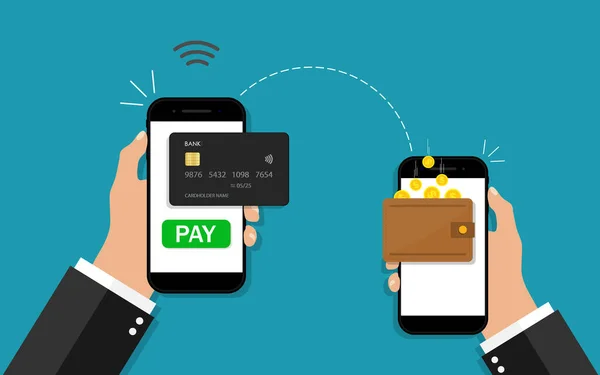
Over the past decade, the landscape of church giving has shifted dramatically. Digital giving has overtaken cash and checks in many congregations, with most donors now expecting mobile-ready ways to give.
This shift isn’t trending—it’s mainstream:
- A growing majority of donors prefer online and mobile donation options over traditional methods.
- A significant portion of digital giving now comes from mobile devices; mobile usage accounts for a large share of online donations.
- Digital wallets like Apple Pay and Google Pay are playing a major role in improving conversion rates by reducing friction.
When churches fail to support mobile wallet giving, they miss out on spontaneous generosity and higher conversion rates—especially from younger, tech-savvy donors.
What Is Mobile Wallet Giving (Apple Pay & Google Pay)?
Mobile wallet giving simply means donors give to your church using the digital wallet stored on their smartphone or device—typically Apple Pay for iOS users and Google Pay for Android users. These digital wallets store a donor’s credit or debit cards securely and allow them to complete donations with biometric authentication (like Face ID, fingerprint, or passcode).
Apple Pay is a digital wallet service developed by Apple that enables users to make secure, quick payments online or in person with their Apple devices.
Google Pay operates similarly on Android devices, storing payment info and enabling fast, secure donations.
How Giving Friction Kills Conversions
What Is Giving Friction?
Giving friction refers to any step in your donation process that slows the donor down or forces them to think too hard—whether it’s filling out a long form, searching for their wallet, or typing credit card details. Every extra second or step increases the chances a donor doesn’t complete their gift.
In digital fundraising, friction is the enemy of generosity. When donors have to hunt for their wallet, read fine print, or fill out multiple screens, many simply abandon the process. Mobile wallet giving eliminates many common friction points:
- No manual card number entry.
- No keyboard inputs for older donors or visitors.
- Authentication is fast with biometrics.
- Payment data is securely tokenized.
Churches that streamline their giving pathways often see higher conversion rates and larger average gifts.
Steps to Implement Mobile Wallet Giving for Your Church
Choose a Mobile-Friendly Giving Platform
Your church’s first priority is selecting a digital fundraising platform that fully supports mobile wallet giving, including Apple Pay and Google Pay, right out of the box. A modern, mobile-ready platform removes unnecessary friction and allows donors to give instantly using the wallet already stored on their device. Trusted solutions such as Donorbox, Givebutter, and other church-focused giving platforms automatically detect the donor’s device and display the correct mobile wallet option, making the giving experience seamless and intuitive.
When evaluating a platform, make sure it:
- Displays Apple Pay clearly for iPhone and iPad users
- Displays Google Pay for Android and Google Wallet users
- Is fully optimized for all mobile screen sizes and orientations
- Loads quickly and performs well even on slower internet connections
Choosing the right platform sets the foundation for successful mobile wallet giving.
Enable and Test Apple Pay & Google Pay
Apple Pay Setup
Setting up Apple Pay correctly ensures a smooth, secure, and frictionless giving experience for iOS users. Begin by confirming that your selected digital fundraising platform officially supports Apple Pay donations, as not all providers enable it by default. Next, complete Apple’s domain verification process if required—this step helps protect donors and ensures secure transactions. Once enabled, thoroughly test the donation flow across multiple Apple devices to guarantee consistency and ease of use. Pay close attention to biometric authentication, such as Face ID or Touch ID, to ensure donations can be completed quickly and confidently.
- Verify Apple Pay compatibility with your giving platform
- Complete domain verification for secure transactions
- Test donations using Face ID or Touch ID on different devices
Google Pay Setup
Google Pay setup is equally important for reaching Android users and reducing donation friction. Start by enabling Google Pay within your payment or fundraising platform’s settings. After activation, test the full donation journey using Android devices and Google Wallet to ensure payments process smoothly from start to finish. Confirm that the Google Pay button is highly visible on your donation form, especially on mobile screens, so donors immediately recognize it as a fast giving option.
- Enable Google Pay in platform payment settings
- Test the donation flow on Android devices
- Ensure the Google Pay button is prominently displayed
Optimize the Donation Page for Mobile Wallet Giving
Simplify the UI
A clean, intuitive user interface is critical for successful mobile wallet giving. When donors feel overwhelmed or confused, they are far more likely to abandon the donation process. Your giving page should visually guide donors toward the fastest action with minimal effort or decision-making. Large, clearly labeled wallet buttons help donors immediately recognize trusted payment options, while strategic placement ensures visibility without friction. Reducing visual clutter keeps the focus on generosity rather than navigation.
- Use large, high-contrast buttons labeled Give with Apple Pay or Give with Google Pay
- Position mobile wallet buttons above the fold so donors don’t need to scroll
- Remove optional or nonessential form fields that distract from completing the gift
Minimize Steps
The fewer steps required to donate, the higher your conversion rate will be. Mobile wallet giving is most powerful when donors can complete a gift in seconds, especially during moments of inspiration. Every extra screen, field, or click adds friction and increases drop-off. Streamlining the process allows donors to act immediately while their intent to give is strongest.
- Enable one-click or one-tap giving whenever possible
- Use auto-fill and smart defaults to reduce typing on mobile devices
- Offer recurring gift options after the initial donation, not before
These improvements significantly reduce cognitive load and consistently increase mobile wallet giving conversions.
Communicate and Promote Mobile Wallet Giving
Church Announcements & Bulletin
Consistent, clear communication during services helps normalize and encourage mobile wallet giving among your congregation. Many donors are willing to give digitally but may not realize how easy it is or that the option even exists. Briefly explaining mobile wallet giving during announcements removes uncertainty and builds confidence, especially for first-time users. Printed and digital bulletins also play a powerful role in guiding immediate action.
- Teach your congregation how to give using Apple Pay and Google Pay during live services
- Include simple, step-by-step verbal instructions when introducing mobile giving
- Add QR codes in printed and digital bulletins that link directly to your mobile giving page
Website & Email Messaging

Your website and email communications should reinforce the simplicity of mobile wallet giving. Donors often visit your giving page or read emails with the intent to act quickly, so visibility and clarity are essential. Highlighting trusted wallet options reassures donors and shortens the decision-making process.
- Clearly feature Apple Pay and Google Pay buttons on your church’s giving page
- Use mobile-friendly design to ensure wallet buttons are easy to tap
- Add a short explainer such as: “Give with just a tap using Apple Pay or Google Pay!”
Clear, repeated messaging helps donors confidently discover and adopt mobile wallet giving.
Best Practices to Maximize Mobile Wallet Giving
Combine with Multiple Giving Options
While mobile wallet giving continues to grow, churches should recognize that generosity comes in many forms and preferences vary across congregations. Some donors are comfortable with digital wallets, while others still prefer familiar or traditional methods. Offering multiple giving options ensures no one is excluded and removes friction for every type of giver. A flexible, donor-centered approach increases participation and overall giving.
- Continue offering traditional credit and debit card donations
- Provide ACH or bank transfer options for donors who prefer direct giving
- Use text-to-give codes during services and live events for spontaneous gifts
A well-rounded, multi-channel giving ecosystem empowers donors to choose the method that feels easiest and most natural to them.
Data & Analytics

Data-driven insights are essential for optimizing your mobile wallet giving strategy. Tracking the right metrics allows churches to understand donor behavior, identify friction points, and make informed improvements over time. Analytics help you move beyond assumptions and focus on what actually drives generosity.
- Monitor conversion rates before and after adding mobile wallet options
- Compare gift frequency and average donation amounts across payment methods
- Analyze device usage patterns (iOS vs. Android) to guide promotions and messaging
Consistent analysis helps refine your approach, improve donor experiences, and increase long-term digital giving success.
Also read:Church Online Giving Platforms: Guide to Choosing the Right Tech
Wrap-Up: Embracing Frictionless Giving
Churches that embrace mobile wallet giving (Apple Pay and Google Pay) position themselves to capture more generosity from congregants who expect fast, secure, and modern donation experiences. By eliminating giving friction, optimizing donation pages, and communicating clearly, churches can boost conversion rates and deepen engagement in their communities. As digital giving continues to grow, this strategy isn’t just smart—it’s essential.
🔟 FAQs About Mobile Wallet Giving for Churches
- What is mobile wallet giving?
Mobile wallet giving lets donors use Apple Pay or Google Pay to donate instantly without typing payment info. - Why should churches support Apple Pay and Google Pay?
It reduces friction, speeds up giving, and appeals to mobile users, increasing conversions. - Does mobile wallet giving cost more?
Fees depend on your payment processor, but the convenience often outweighs small costs. - Can donors use mobile wallet giving on any device?
Apple Pay works on iOS devices; Google Pay works on Android phones and select wearables. - Is mobile wallet giving secure?
Yes—digital wallets tokenize card data and use biometric authentication for security. - How do I add a mobile wallet option to my giving page?
Choose a giving platform that supports Apple Pay and Google Pay, then enable it in settings. - Will mobile wallet giving increase donations?
Yes—churches that reduce friction see higher completion rates and spontaneous gifts. - Do donors need an app to use mobile wallet giving?
No—many giving pages automatically show Apple Pay or Google Pay without an app. - Can mobile wallet giving support recurring gifts?
Some platforms do support recurring gifts via wallets; check your provider. - How can I promote mobile wallet giving in my church?Use announcements, bulletins with QR codes, and easy instructions on your website.